One of my favorite tools for development is Nikhil Kothari's Web Development Helper. This is an IE Add-On that allows you to do things like navigate through the page DOM, capture screenshots, and examine ASP.NET view state. Of all the features, my favorite is probably the Script Console feature which allows you to execute client side JavaScript on any page.
Hello World
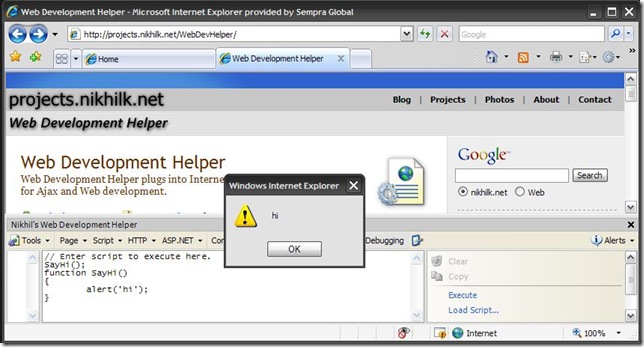
For example, the following is a Hello World example that executes the alert function.
Source:
SayHi();
function SayHi()
{
alert('hi'); //Optionally, you can just use this one liner.
}
Don't Save Your Page Script and Refresh the Page!
Where this get's more interesting is when you need to troubleshoot a client side script problem, perhaps an AJAX related issue. What's really nice about this is that you don't need to save your page script and refresh the page every time you want to troubleshoot your JavaScript.
Run Existing Page JavaScript
Another great way to use this tool is to run existing JavaScript from a page. For example, SharePoint 2007 uses JavaScript extensively. If you open the source (View --> Source in IE) from your browser, you can look at the page source and find snippets like the following:

You can then copy and paste this snippet into Web Development Helper Script Console and click the Execute link. As you can see this opens the page in Edit mode.
Source:
OpenSharePointEditMode();function OpenSharePointEditMode()
{
window.location = 'javascript:MSOLayout_ChangeLayoutMode(false);';
}


